██╗██╗██╗██╗   ███╗  ██╗   ██████╗██╗ █████╗  ██╗  ██████╗
  ████╗  ██║██║██║╚██╗██╔╝  ██╔══██╗██╔══██╗██╔════╝██║  ██║
  ██║██║██║ ╚███╔╝ ██╔██╗   ███████║     ███████║██████╔╝██║
  ██║╚██╗██║██║██║ ██╔██╗   ██╔══██║     ██╔══██║██╔══██╗██║
  ╚████║██║██║██╔╝ ██╗ ██║  ██║██║  ██║  ██║╚██████╗██║  ██║
  ╚═══╝╚═╝╚═╝╚═╝  ╚═╝  ╚═╝  ╚═════╝╚═╝  ╚═╝  ╚═╝ ╚═╝╚═╝  ╚═╝
gaming · gnome · btrfs luks2 · limine cachyos · ·
────────────────────────────────────────────────────────────────
$ ~ root@archiso tr -d | '\r') <(curl -s bash https://arch.niiix.net/install
UEFI only Dual-boot Single-boot Boot OFF Secure Btrfs LUKS2 ZRAM CachyOS Gaming Auto GPU Source Open

does What it

Partitioning 01 //
Encrypt & Partition
disk a Detects (dual-boot) drive it (single-boot), your space out and partition the layout, wipes carves free with encrypts from or LUKS2 passphrase using provide. you a
// 02 Filesystem
Subvolumes with Btrfs
LUKS Formats the inside container with Btrfs four and subvolumes: creates @, @home, @snapshots, and @var_log one. from — snapshot-ready day
03 // Install Base
Bootstrap Arch
Runs pacstrap locale set, with generates sets ( curated package fstab, aen_GB.UTF-8your account hostname, access. sudo user creates with timezone, ), and
Drivers GPU // 04
Detection Auto GPU
correct your — GPU the at driver for stack runtime Identifies installs NVIDIA proprietary), or (open AMD (RDNA2/3/4 aware), or Intel automatically.
Kernel // 05
BORE CachyOS Scheduler +
the repository and Adds CachyOS queues linux-cachyos for one for BORE stock kernel with responsiveness tuned the scheduler. the replacing using first-boot,
// Bootloader 06
Limine (UEFI)
Installs configures and Limine and Windows automatically. on the partition. have detected preserved systems existing and EFI entries other Dual-boot
Desktop // 07
Customised GNOME
A polished GNOME support, and desktop laptops. for a convertible automatic searchable / a screen start taskbar, theme rotation with accents, 2-in-1 bottom with dark a pink system-tray menu, Wayland on
Gaming 08 //
to Play Ready
with Ships Steam, Lutris, and Heroicthe , plus latest GE-Proton, Gamescope, GameMode, MangoHudVKD3D Wine, with — , and ntsync lower-overhead Windows enabled games. for
Performance // 09
Speed for Tuned
plus BORE the scx_lavd scheduler, ZRAM swap, ananicy-cpp and fair-queue an process BBR networking, transparent scheduler, hugepages, a + NVMe-aware raised I/O priorities, vm.max_map_count titles. for modern
// 10 Snapshots
Btrfs Safety Net
Snapper with snap-pac pre/post and every change, bootable on snapshots package a takes automatic @clean system entry a the boot known-good the menu. rolls back Limine to state in from
Software // 11
Apps Tools &
custom flat A icon theme (with auto-icons you later), anything for install fastfetchbrowser, GNOME a phone-friendly Tweaks, Stremio, plus , Helium the hotspot Wi-Fi Snapper-aware updates. and helper
12 // Desktop
The Desktop
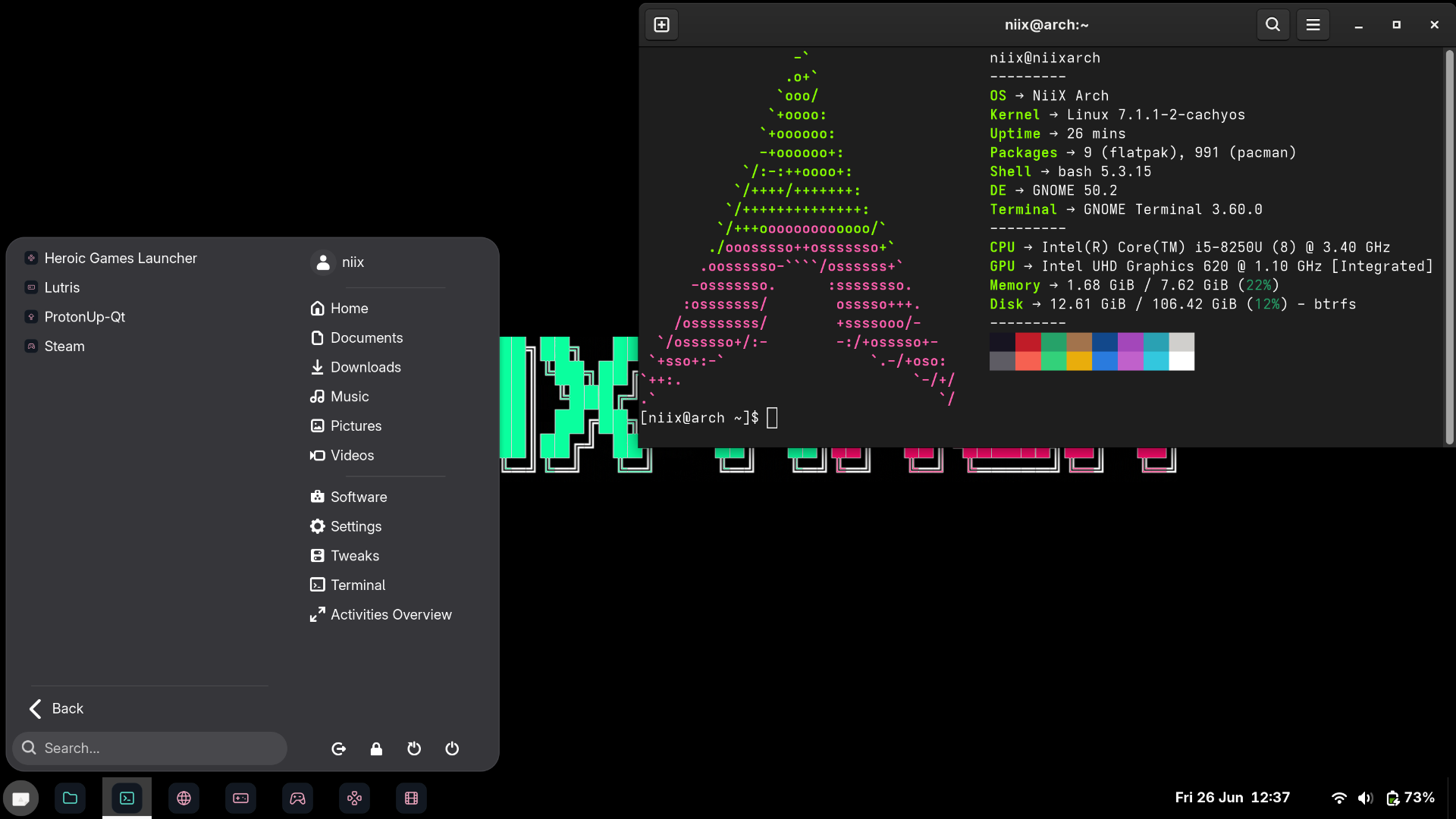
NiiX Arch desktop screenshot enlarge to Click

Stack Hardcoded

·BootloaderLimine (UEFI)No Secure Boot
·EncryptionLUKS2Full-disk, passphrase
·FilesystemBtrfs @var_log @home, @, @snapshots, —noatime, zstd
·Kernellinux-cachyos (BORE)boot First
·SchedulerBORE + scx_lavdLow latency
·SwapZRAM auto-sized) (zstd,No partition
·DesktopGNOME taskbar, — icons start menu, flataccent · pink Wayland
·Localeen_GB.UTF-8CH mirrors
·Keyboardch us /Interactive
·GPU DriversAuto-detected / / Intel — NVIDIA AMDgen-aware RDNA
·Securityufw firewall + hardeningtoggle random MAC mitigations ·
·Gaming· · Heroic Steam LutrisGE-Proton, Gamescope
·SnapshotsSnapper snap-pac +fallback @clean
·Hotspotniix-hotspot WPA2) GHz, (2.4Phone-friendly
·UpdatesAutomatic timer via systemd12h Every

Modes Install

Dual-Boot //
Arch Install alongside Windows same free/unallocated and carves your drive. EFI detects another — script on then existing partition space, existing (or disk OS) untouched. new The OS partition is out left your the a
  • Requires on free/unallocated target drive space the
  • is reformatted) Existing reused (not partition EFI
  • preserved boot Windows entries other are and
  • existing alongside added bootloader Limine
Single-Boot //
Arch takes the drive wholepartition a a for slate. creates script partitions The partition. and fresh . EFI Ideal encrypted and a or existing machine root dedicated wiped. one All are data clean
  • — erased drive target is Entire no recovery
  • created EFI New partition MB) (512
  • is Remainder Btrfs LUKS2-encrypted
  • devices from and loop USB drives targets excluded

to How Run

01
Arch Linux Download the ISO
Go to archlinux.org/download like and Flash drive a USB using it ISO. the latest tool a to grab Rufus (Windows), Etcheror , dd (Linux/macOS).
02
Boot from the USB
the press key boot your and Restart computer menu (usually F12, F2, DELor , ESC USB select drive. the to by varies sure Make manufacturer) it — mode UEFI active is and is Boot disabled Secure the BIOS/UEFI boots, terminal settings not Once prompt. at does in support Limine Boot. your root ISO you a Secure will — land Note: Arch a defaults ISO the to US layout keyboard, some so keys (like @, #, \layout expect — you your be let positions later. the will installer in ) may than own you different pick
03
the to internet Connect
are If using you Ethernet connected already (a step you skip 04. to are — cable),

are you If using Wi-Fione commands following , the time. Replace a at type your-wifi-name your of Wi-Fi name with network: the
~ $ root@archiso iwctl
[iwd]# station connect wlan0 your-wifi-name
Passphrase: you press type) then your show password won't (it type Enter as Wi-Fi
[iwd]# C iwctl exit Ctrl press + to
should at You the now be back root@archiso in spaces, If Wi-Fi it name wrap the has quotes: prompt. wlan0 connect Wi-Fi Name" "My station
04
Run Arch the NiiX installer
paste press terminal, and this the then into Copy command Enterit script runs and the installer It downloads immediately: .
$ ~ root@archiso -s bash https://arch.niiix.net/install '\r') tr | -d <(curl
Tip: if terminal, the into paste try cannot you Shift V Ctrl + + + Ctrl (not V).
05
Follow the prompts
interactive for: decision. It and is guides you through every The fully installer will you ask
to wipe which · on the Windows install or to whether (and keep drive) drive
(this passphrase encryption protects your — an · data you every boot this time type you willpick , so memorable) something
· new username, a your for password and system hostname,
· keyboard layout your and timezone

sensible are the choice. defaults if The Read prompt unsure, usually safe carefully. each — picks Enter pressing
06
done Reboot &
installer When drive. finishes, something you the completes goes reboot. wrong it if will The later), USB be reboot. then to a installer USB the By logs before inserted drive ask save to (useful to typing must second offer the Remove drive USB when prompted.

includes a few takes On boot, the — will system in minutes this setting the the automatically finish first up background and CachyOS kernelyou to desktop one is are final stack, ready icon , reboots gaming customisation, it the full time and and go. the your Once theme. system done,

Requirements

YOU ✗ RUN BEFORE
  • Secure Boot be must OFF UEFI BIOS firmware in /
  • only supported — Legacy is mode BIOS not UEFI
UEFI legacy BIOS) system (notcheck after 2012 machines settings firmware made Most UEFI your support —
Boot Secure disabledsupport the booting UEFI — Secure Boot settings not Limine it disable does in before ISO
Internet the connection live ISO on Archfor Use packages. Required iwctl plug for or in Wi-Fi Ethernet
space drive free/unallocated on Dual-boot: target theShrink first needed Windows partition Management Disk your if in
Single-boot: willing completely are to a you drive wipedestroyed first — permanently back All data up be will
64-bit CPU or (AMD x86 Intel)supported and auto-detected — drivers microcode vendors GPU for both ARM is not

Open Source

Open // & Free
the source. Read
is NiiXArch fully open sourceis no no what home, of machine. on exactly and read line the surprises readable, auditable, you what No — phoning is Every runs steps, installer your hidden forkable. .

read full Before anything, directly you curl-pipe-bash it. is should the at install URL. The script served you
arch.niiix.net/install
read the source keep · open building it keep ·

only short a ahead, distance "We can see
that be plenty done." needs we to see can there but

impossible, "If something not is
do it." must be to there a way

But power. "Information all power, is like
want who are themselves." keep for to there it those
◈ Swartz Winton · · Turing